OneClient for Minecraft — download the FPS optimization modpack
OneClient by Polyfrost is a ready-to-use Minecraft Java Edition client modpack combining performance mods, visual settings, HUD elements and extra features in a single profile. It is neither a server plugin nor a single JAR mod.
Official OneClient screenshots
These official images show the interface, configuration screens and themes. They are examples from the project presentation; their appearance may vary across releases.
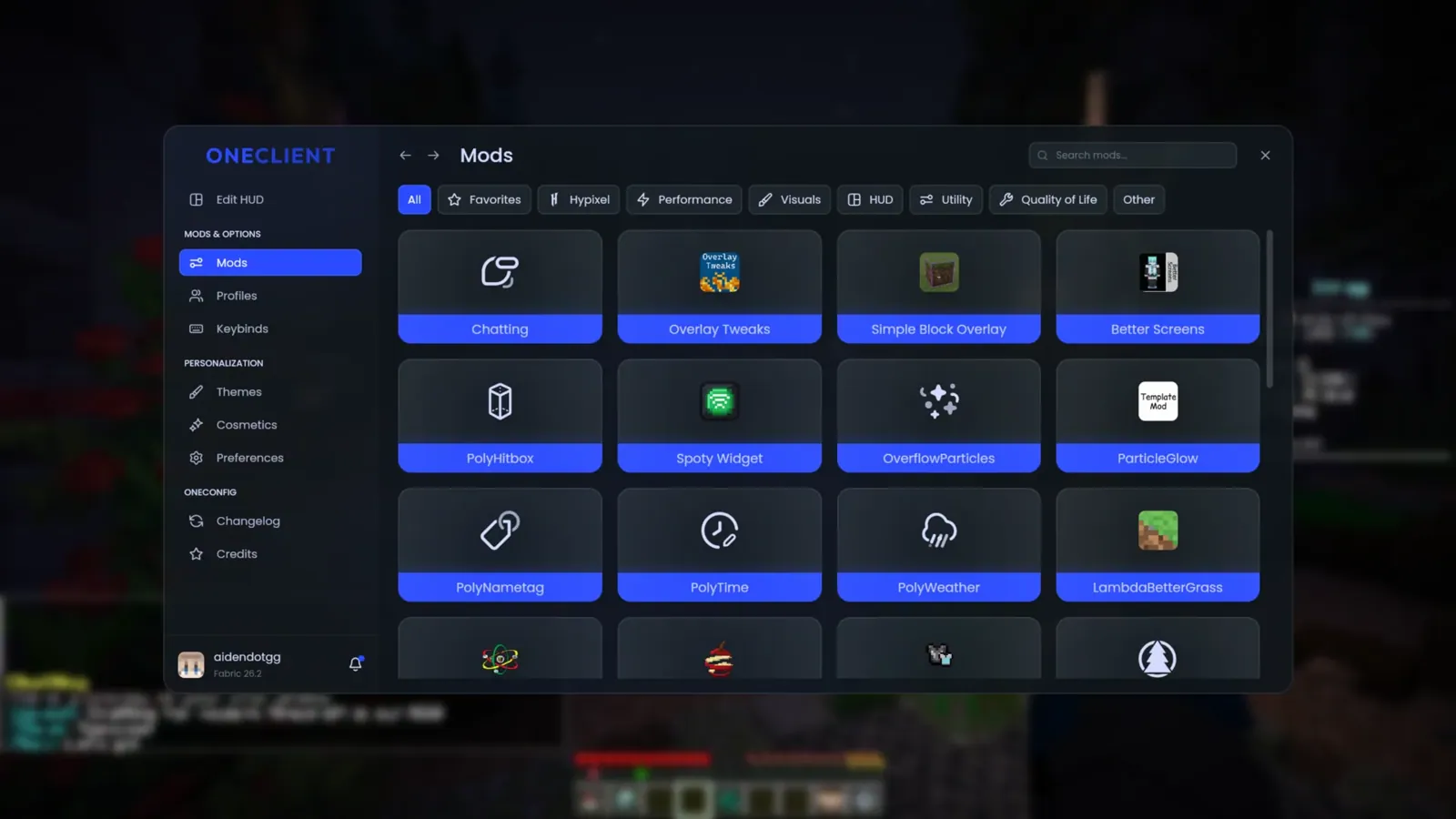
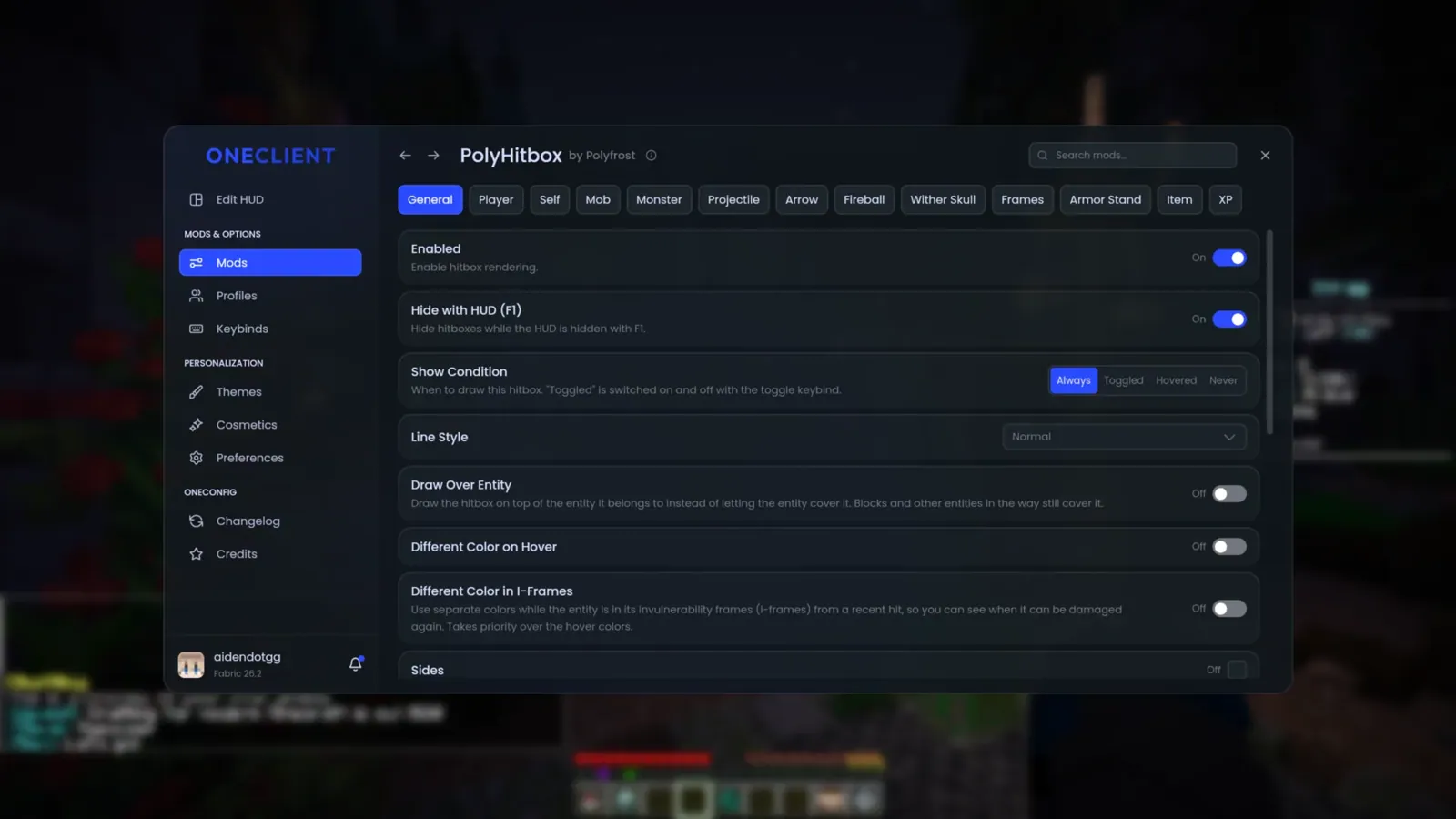
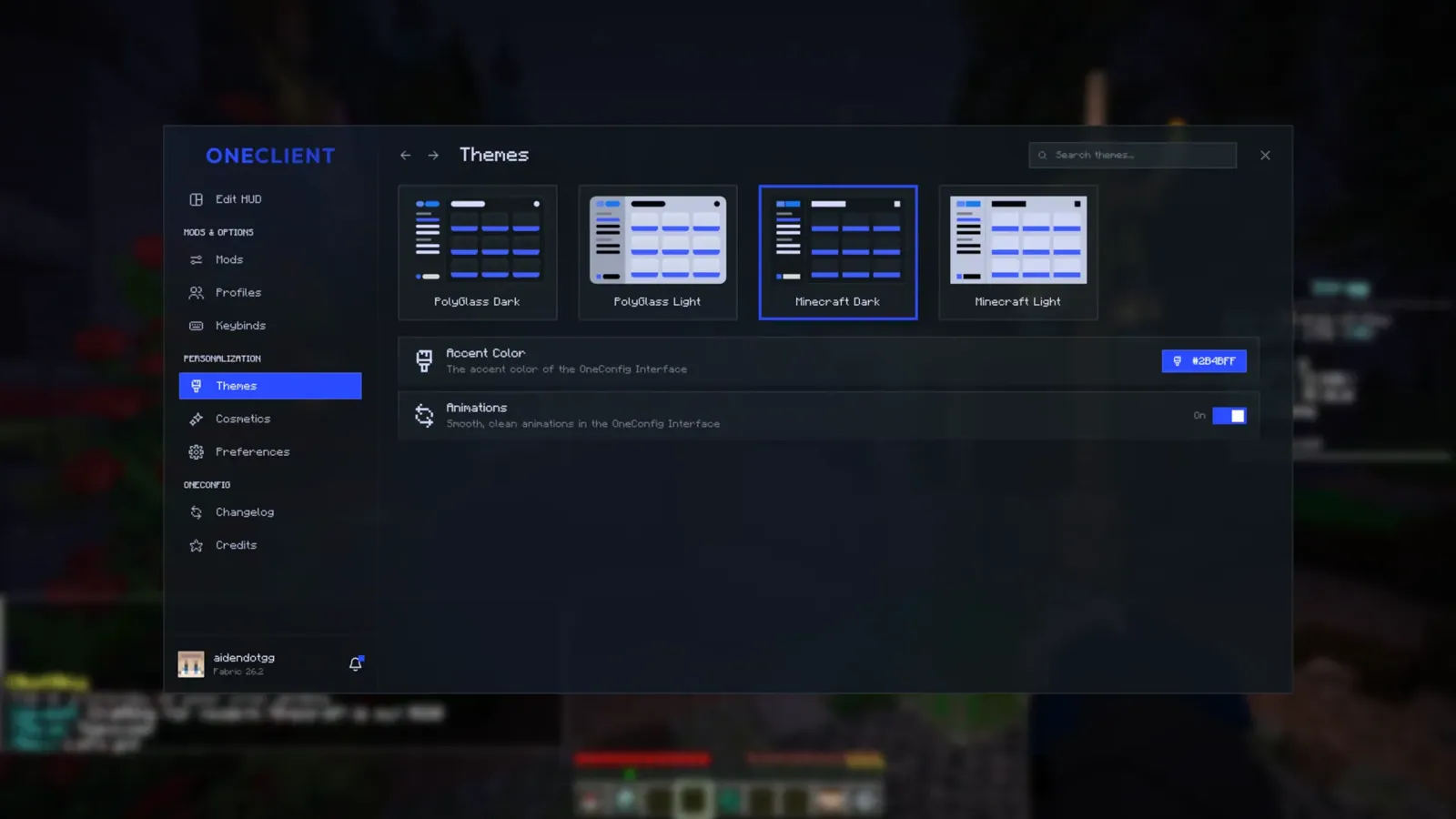
Images are hosted on BlockRadar with attribution to the official Polyfrost source.
What is OneClient and how is it different from a single mod?
A typical mod adds one or more features to an existing Minecraft installation. A OneClient modpack is a preselected collection of compatible components. Rather than install each add-on separately, you import a ready-made profile through a launcher. Each release targets specific Minecraft and Fabric versions.
OneClient aims to combine performance and convenience: centralized mod settings, HUD elements, game environment options and multiplayer features. Modrinth lists it as client-side; you do not install it on Paper or Spigot servers.
Performance: how OneClient affects FPS
Polyfrost uses a bundle of optimization mods rather than a single magical performance switch. The developers compare the number of optimization components with Fabulously Optimized and describe a lighter interface through PolyCompose. The number of installed mods, however, does not guarantee higher FPS.
On less powerful computers, results depend on the GPU, CPU, RAM, shaders, resolution and world complexity. To test fairly, compare average FPS, frame-time spikes and frame-time consistency in the same scene before and after installation without changing graphics settings at the same time.
OneConfig, PolyCompose and HUD: what players get
OneConfig centralizes add-on settings, while PolyCompose powers the visual interface. OneClient also bundles the EvergreenHUD and VanillaHUD components. You can customize the placement and appearance of on-screen elements within the options of your installed release.
Available components depend on the specific modpack version. For Hypixel SkyBlock players, Polyfrost provides a separate OneClient SkyBlock on BlockRadar; do not assume it has exactly the same features as the main edition.
Compatibility: Minecraft Java and Fabric
According to the official Modrinth listing, OneClient uses Minecraft Java Edition with the Fabric loader. Releases include versions 1.21.1 and 1.21.10–1.21.11 as well as the newer version numbers 26.1.2, 26.2 and 26.3. Always choose a download that matches your game.
Do not place OneClient in the plugins directory on Paper or Spigot servers. This modpack is not designed for Bedrock or Minecraft mobile. Server anti-cheat rules may restrict some client features; review the rules before joining.
How to download and install OneClient in five steps
- Check your installed Minecraft Java Edition version.
- Open the official Modrinth project and find a release matching your game version.
- Use Modrinth App or another compatible launcher to install or import the modpack.
- Create a separate profile and launch the game from it; do not mix its files with an existing modpack.
- After the first launch, configure graphics, interface and HUD settings. If errors occur, review the startup log and current release dependencies.
Important: the .mrpack file must be imported into a launcher. Do not copy it to the mods directory as if it were a single .jar.
Frequently asked questions
Can I use OneClient on a regular server?
OneClient is a client-side modpack, so the server does not need to install it. Whether you can connect depends on the Minecraft version and that server’s rules.
Are OneClient and Lunar Client the same?
No. They are different projects and approaches to building a Minecraft client environment. Compare their performance on the same hardware and game settings.
Does OneClient work for Hypixel SkyBlock?
Polyfrost has a separate OneClient SkyBlock edition. Check it for mode-specific HUDs and tools rather than assuming they are included in the standard edition.
Do I have to pay for the modpack?
The main modpack is published on Modrinth under GPL-3.0-only. Individual components may have separate license terms that must be respected when redistributing them.
How do I know the download is safe?
Use the official Modrinth page, confirm Polyfrost as the publisher and avoid unofficial repackaged downloads or advertised “FPS boosters”.
Related reading on BlockRadar
OneClient SkyBlock: Hypixel SkyBlock modpack, included mods and installation
Complete OneClient guide: installation, FPS and client comparisons
Why OneClient is gaining popularity — news
Minecraft optimization mod catalog