OneClient is a client-side Minecraft Java modpack maintained by the Polyfrost team. It is not a multiplayer server, a standalone Java mod to drop into a mods folder, or a Bukkit/Paper plugin. It combines performance-oriented mods, HUD features and interface customization in a configured Fabric modpack. Polyfrost also publishes a separate variant focused on Hypixel SkyBlock.
If you want a ready-made client configuration rather than assembling dozens of mods manually, OneClient is worth evaluating. This guide explains what the project actually provides, how to install it, how to measure any FPS improvement, and how the standard and SkyBlock variants differ.
What is a Minecraft client modpack?
In Minecraft Java, players often install mods one at a time and resolve dependencies and conflicting keybinds themselves. A modpack groups compatible modifications and configuration choices into one release. OneClient aims to combine optimization, HUD components and a consistent settings experience in a single client-side package.
The benefit is convenience: you start from a maintained configuration. The trade-off is that installed mods and settings depend on the exact release you choose. Do not copy the entire config directory from an unrelated Minecraft version without checking compatibility.
OneClient does not need to be installed on the Minecraft server just because a player uses it. However, a server may enforce its own mod, version, anti-cheat or client-feature rules.
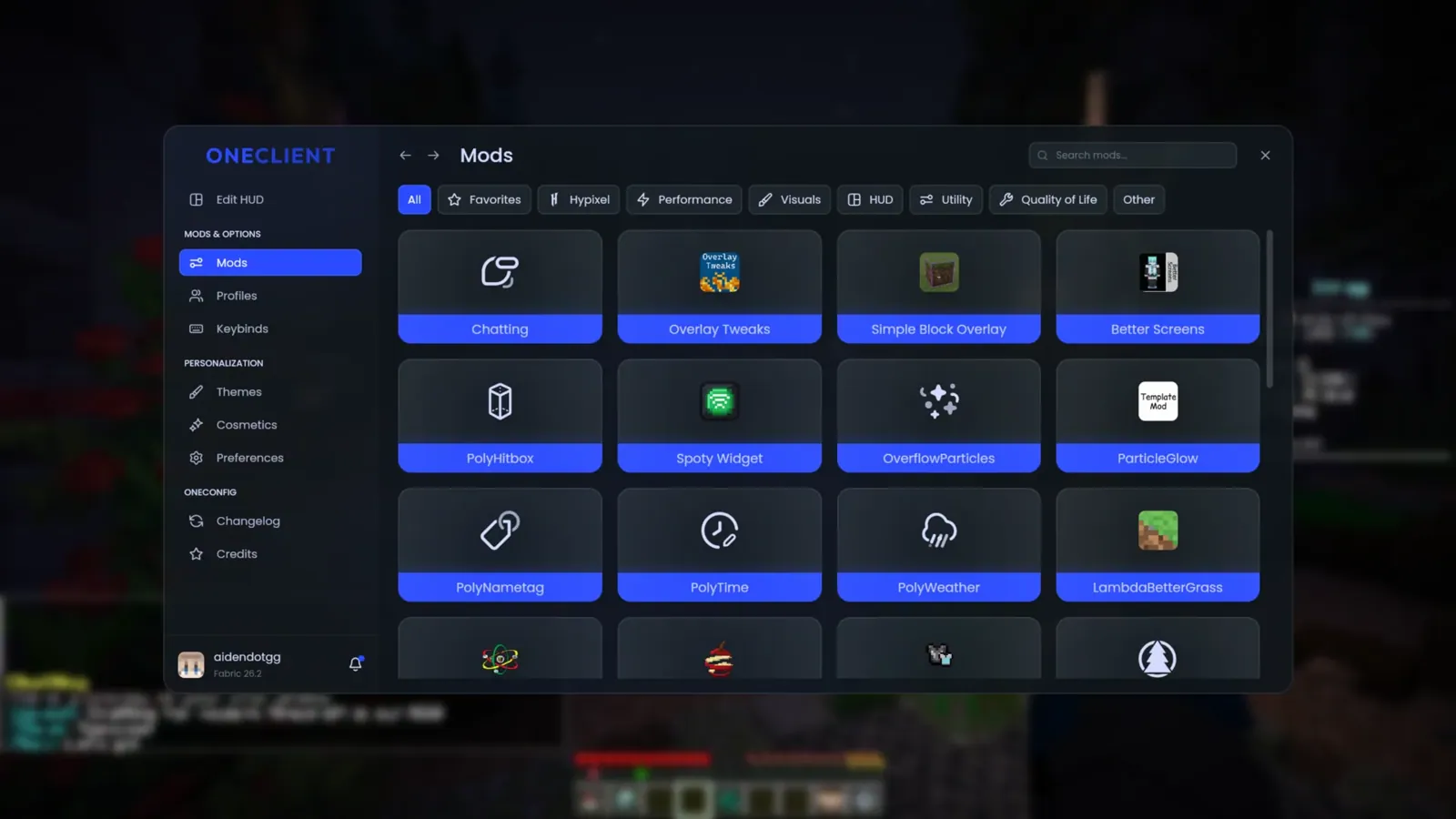
Features included in OneClient
- Performance-related components. The developers include a selection of optimization mods intended to improve responsiveness on supported Minecraft versions.
- OneConfig settings. Centralized configuration and controls for components provided by the project.
- PolyCompose UI. Polyfrost's interface rendering approach, used for the client's menus and visual customization.
- HUD options. EvergreenHUD, VanillaHUD and other interface widgets, with layout and appearance controls.
- Quality-of-life features. Additional conveniences selected for each particular release.
- Multiplayer conveniences. Polyfrost advertises world-hosting capabilities, although availability should be confirmed for the version you install.
The exact mod list can change without the product name changing. Check the project release and any dependency list rather than assuming every feature listed in an old video still exists.
OneConfig and PolyCompose: interface design
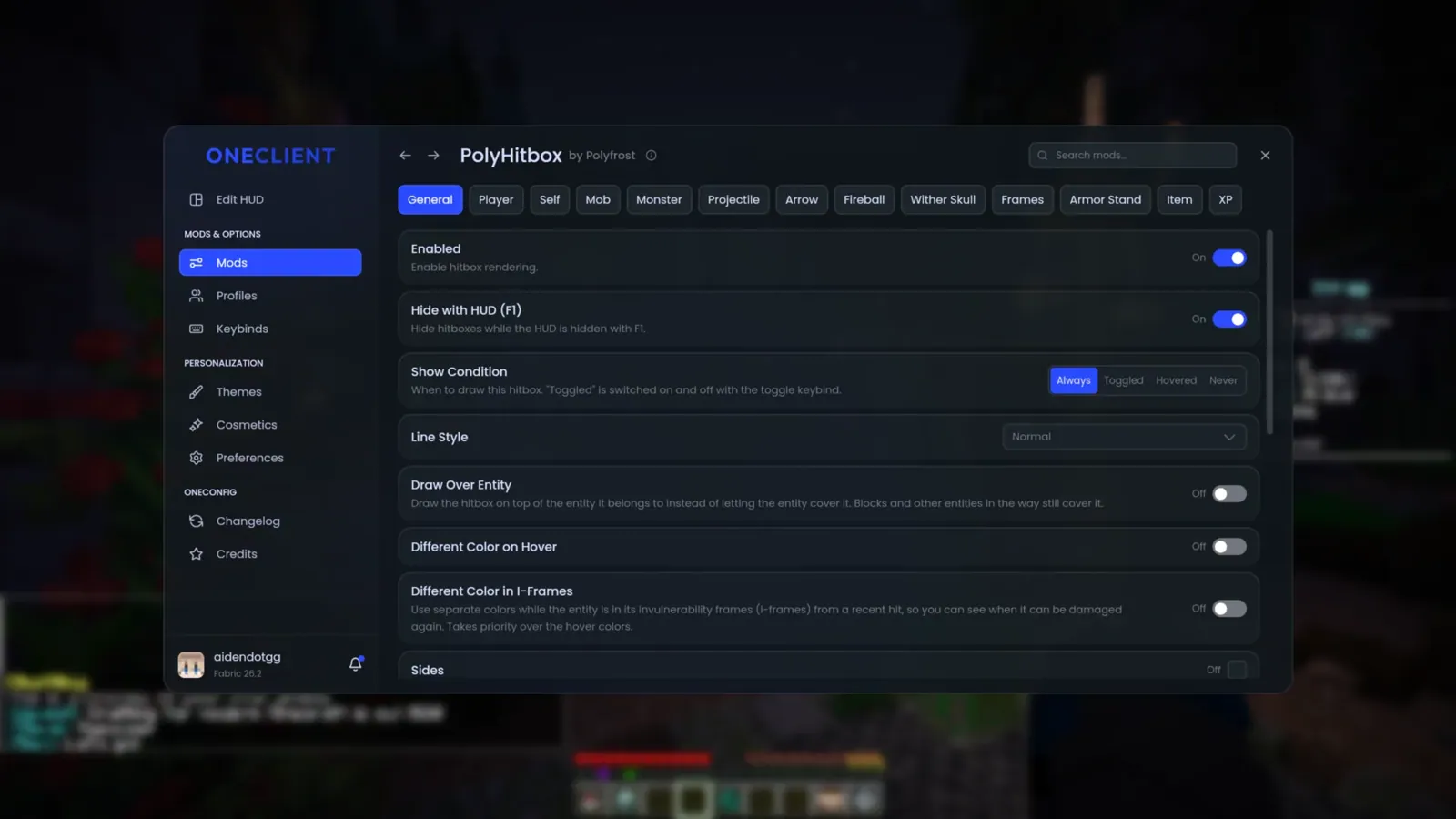
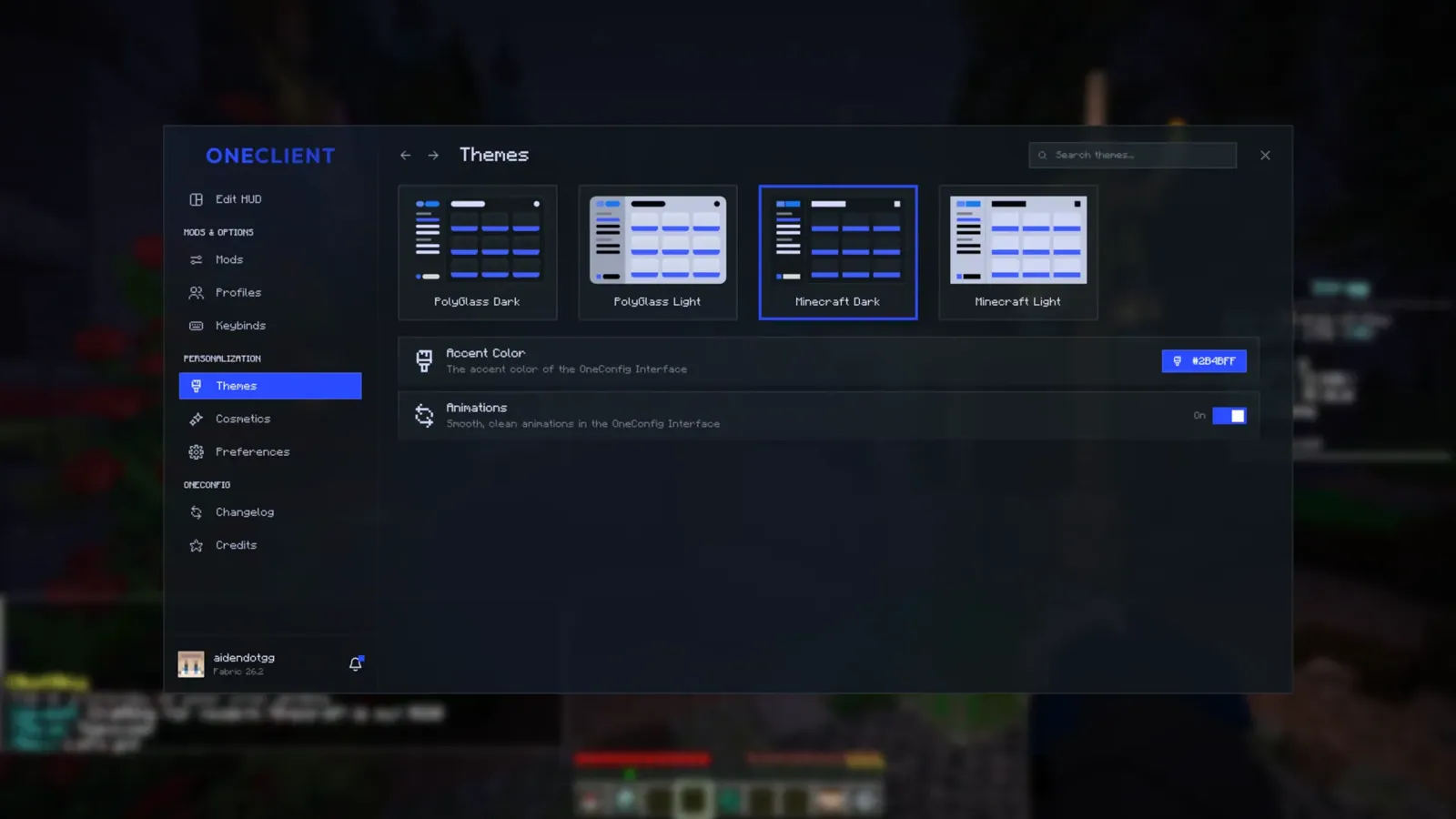
Polyfrost describes PolyCompose as its custom rendering solution for a modern Minecraft UI. OneConfig provides a shared configuration experience for the client components. Together they let you find settings, customize the appearance and organize HUD elements from a single interface.
Polyfrost compares its design with clients that use Chromium-based UI approaches. That comparison explains the developers' architectural preferences; it is not independent proof that OneClient always uses less memory than every competing client.
HUDs, themes and keybinds
OneClient features HUD components including EvergreenHUD and VanillaHUD, according to Polyfrost. Players can use these to change how on-screen information appears and position supported interface elements.
Themes let you choose an appearance that suits PvP, survival or exploration without replacing the game's basic mechanics. If a HUD panel overlaps another element, inspect the HUD configuration and keybinds first. Removing random JARs from a curated pack is more likely to break its dependency setup than solve a simple layout conflict.
FPS claims: how to compare performance fairly
The developers have promoted OneClient as a performance-focused modpack and compared the number of bundled optimization components with Fabulously Optimized. In one description Polyfrost mentions 27 optimization mods versus 14. That is a publisher claim about the packaging, not a benchmark showing that the client is twice as fast.
FPS depends on your CPU, GPU, Java runtime, settings, shader pack, loaded world, player density and Minecraft release. Counting mods is not a meaningful substitute for measuring frame times.
For a controlled comparison:
- Create separate profiles for vanilla Minecraft and OneClient on the same Minecraft version.
- Use the same world, render distance, resolution, allocated memory and graphics settings.
- Run each profile for several minutes in comparable conditions after the world has loaded.
- Compare not just average FPS but 1% lows, stutters and frame-time consistency.
- Repeat the test if shaders, resource packs or the server's player count differ.
Do not publish a percentage advantage from a single screenshot or from two clients running different visual settings. Your own machine and play style are more useful than a universal marketing ranking.
Supported Minecraft versions and the loader
The official OneClient Modrinth page lists Minecraft: Java Edition, Fabric and the client-side environment. Its version catalog includes releases for the 1.21 branch and newer Minecraft version numbers, with availability changing as the maintainers publish builds.
Use the Versions tab to confirm the particular file. A project's overall compatibility list does not mean every download supports every version shown. OneClient is not a Bedrock Edition add-on, and its .mrpack package is not a server-side Paper plugin.
Install OneClient without mixing mod files
- Confirm Java Edition. Check that you are using Minecraft Java, not Bedrock, and choose a supported game version.
- Open the official project. Visit the OneClient page on Modrinth and select a release under Versions.
- Choose a compatible launcher. Use Modrinth App or another launcher capable of installing Modrinth modpacks.
- Import the package. A downloaded .mrpack file is a modpack manifest: import it through the launcher instead of placing it directly inside the mods folder.
- Use a separate profile. Keep the pack isolated from existing mods, shader settings and client configurations until you know it works.
- Launch and configure. Adjust graphics, HUD layout and keybinds. If startup fails, preserve the log and check the listed dependency or version conflict.
Do not install OneClient into a production Minecraft server's plugins directory. If you play on a server, match the game's supported version and follow the server's rules for allowed client mods.
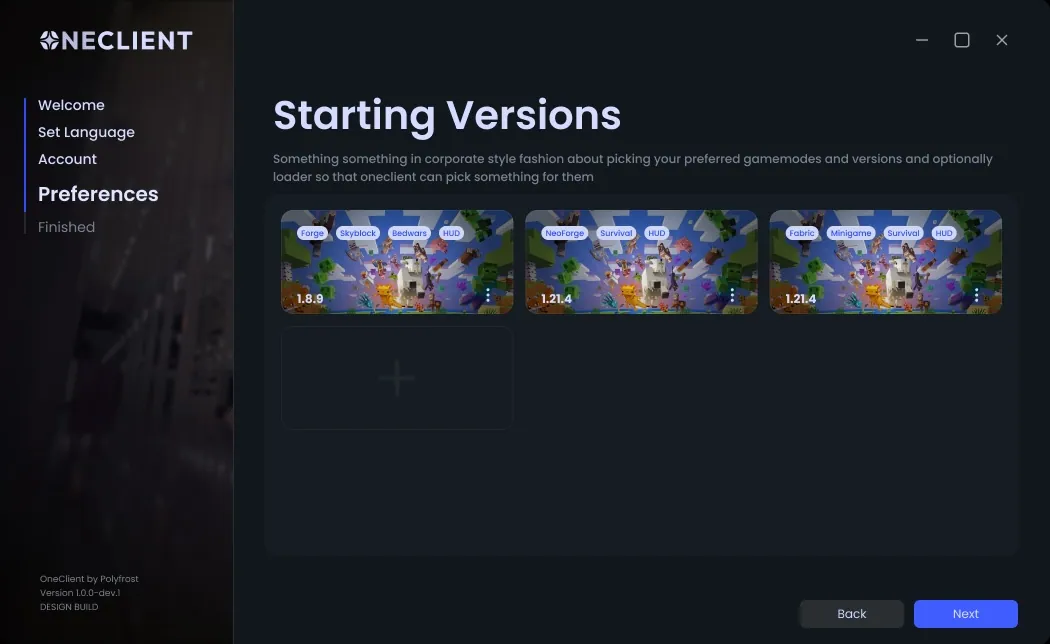
*Note:* the installation illustration is from Polyfrost's project presentation. Launcher screens and version selectors may look different in a more recent release.
OneClient vs Lunar Client
Both projects focus on convenience, visual customization and client-side features, but they are distributed and configured differently. OneClient is a Polyfrost modpack ecosystem with Modrinth releases and integrated configuration components. Lunar Client offers its own client and installation experience.
Choose according to the Minecraft version you need, the HUDs you actually use, acceptable features on your favorite servers and your measured performance. Neither a larger mod count nor an unsupported claim of “30% more FPS” is enough to declare an overall winner.
Using OneClient on multiplayer servers
Using OneClient does not make every server compatible with your chosen Minecraft protocol version. Before connecting, check the server's supported version and edition, any required resource packs, client-side mod restrictions and anti-cheat policy.
You can use the [BlockRadar server directory](/) to compare the currently reported server status, player counts and compatibility information. A server's advertised version can be approximate, so follow its official connection guidance when available.
Standard OneClient vs OneClient SkyBlock
Polyfrost publishes a separate OneClient SkyBlock modpack for Hypixel SkyBlock scenarios. The developers describe it as bundling specialized SkyBlock features and HUD mods, including projects such as SkyHanni, Skyblocker, SkyOcean and Odin. The exact selection is version-dependent.
If you mainly play general survival, PvP or ordinary multiplayer, evaluate the standard OneClient first. If you play Hypixel SkyBlock, compare the dedicated pack and its mod list before deciding. The two variants are not interchangeable simply because both have OneClient in the name.
BlockRadar also maintains separate listings for standard OneClient and OneClient SkyBlock.
Common installation mistakes
- Copying a .mrpack file into mods instead of importing the modpack in the launcher.
- Combining components built for different Minecraft versions or loaders.
- Treating a client-side modpack as a Paper/Spigot plugin.
- Assuming a large mod count guarantees better FPS without a controlled test.
- Downloading unofficial “fixed” repacks instead of the developer's release.
- Overwriting an existing client's configuration before checking the new profile independently.
If troubleshooting becomes difficult, return to a clean new launcher profile and reinstall the official package. Save your logs before changing individual mods.
Final assessment and sources
OneClient is useful for players who want a preconfigured performance-oriented Minecraft Java experience with centralized settings and customizable HUDs. Its main differentiators are the combination of a modpack, OneConfig and PolyCompose. Evaluate its performance and compatibility using your actual Minecraft version and hardware rather than relying on comparative advertising.
Official sources: OneClient on Modrinth, Polyfrost OneClient and the OneClient announcement. BlockRadar also has news about OneClient and separate pages for its standard and SkyBlock configurations.