Iris Shaders – a mod for Minecraft
Adds shader pack support for Minecraft Java Edition.
Statistics and updates
Download Iris Shaders
The files are hosted by the developer. Choose the game version, downloader and the necessary dependencies on the official page of the project. BlockRadar does not store or repackage these files.
What does Iris Shaders do?
Iris Shaders adds support for shader packs: dynamic lighting, shadows, reflections and other visuals in compatible Minecraft Java.
Shaders without game change
Iris adds the infrastructure for Shaderpacks to Minecraft Java. By itself, it does not make the world cinematic: lighting, color correction, reflections, shadows and effects of water are given by a specific shaderpack. One set can almost not differ from the usual graphics, the other - seriously load the video card. Shaders are selected separately from Iris, so that image quality and performance can be adjusted.
Compatibility with graphical modes
Iris is often installed with Sodium to combine shader support and optimized rendering. Other mods interfering with rendering may have their own requirements. In particular, when using Distant Horizons, shader packs that can work with remote LOD geometry are needed; a conventional package of such effects does not guarantee. Check not only the Minecraft number, but also the compatible versions of all the graphics bundle components.
How to pick up a shaderpack
Start with a moderate preset, then separately include shadows, reflections, surround lighting and additional effects. When performance drops, it is easier to find the cause if you do not switch several parameters at once. Some shaderpaks work differently with water, weather and dimensions. Evaluate the picture in the worlds you play, not just from advertising screenshots.
Primary source: developer-page.
Screenshots by Iris Shaders
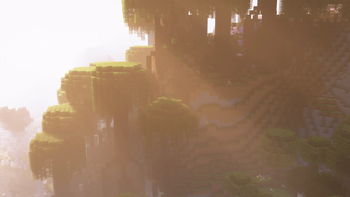
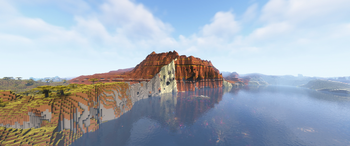
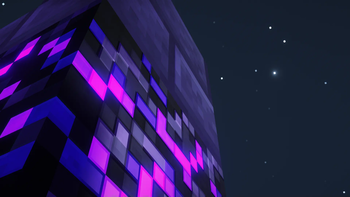
Illustrations: project page.
Libraries and dependencies
If the selected release of this Fabric-mode requires Fabric API, download the compatible library The Fabric API card; installation instructions - cross-hair. Check the list of dependencies of a particular release.
Versions and updates
According to the official source * . To install, choose a release that is compatible with your version of Minecraft.
Latest updates (3)
- 1.11.7+26.3-neoforge ↗Stable.
Fixes a lot of 26.3 bugs
- 1.11.7+26.3-fabric ↗Stable.
Fixes a lot of 26.3 bugs
- 1.10.8+1.21.11-neoforge ↗Stable.
Fixes support for latest Sodium
The latest release on the developer's website ↗ • The full story is with the author of the project.
How to install
- Check out your Minecraft version and mod downloader.
- On the official page, open Versions and select a compatible release.
- Check the author's instructions and dependencies.
- Install the file in the manner specified by the developer and restart the game.
Compatibility varies between releases. Do not use files from unverified mirrors.