Mineplex Updates Its Website: Stats, Leaderboards and Dark Mode
Mineplex introduced a major update to the site: forums received a new design and convenient blocks, and in the Stats section there were profiles of Java and Bedrock players, game leaderboards and privacy settings.
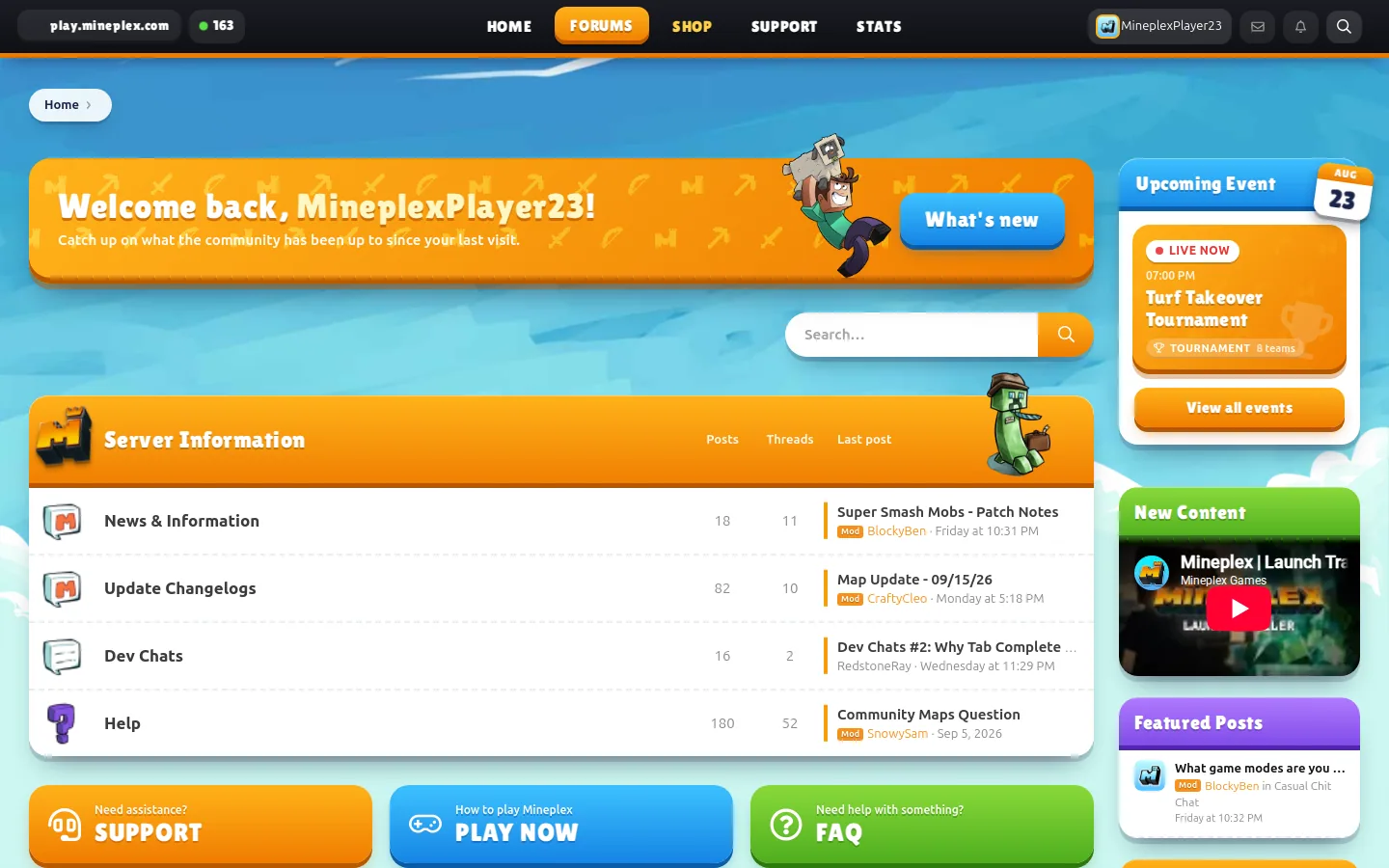
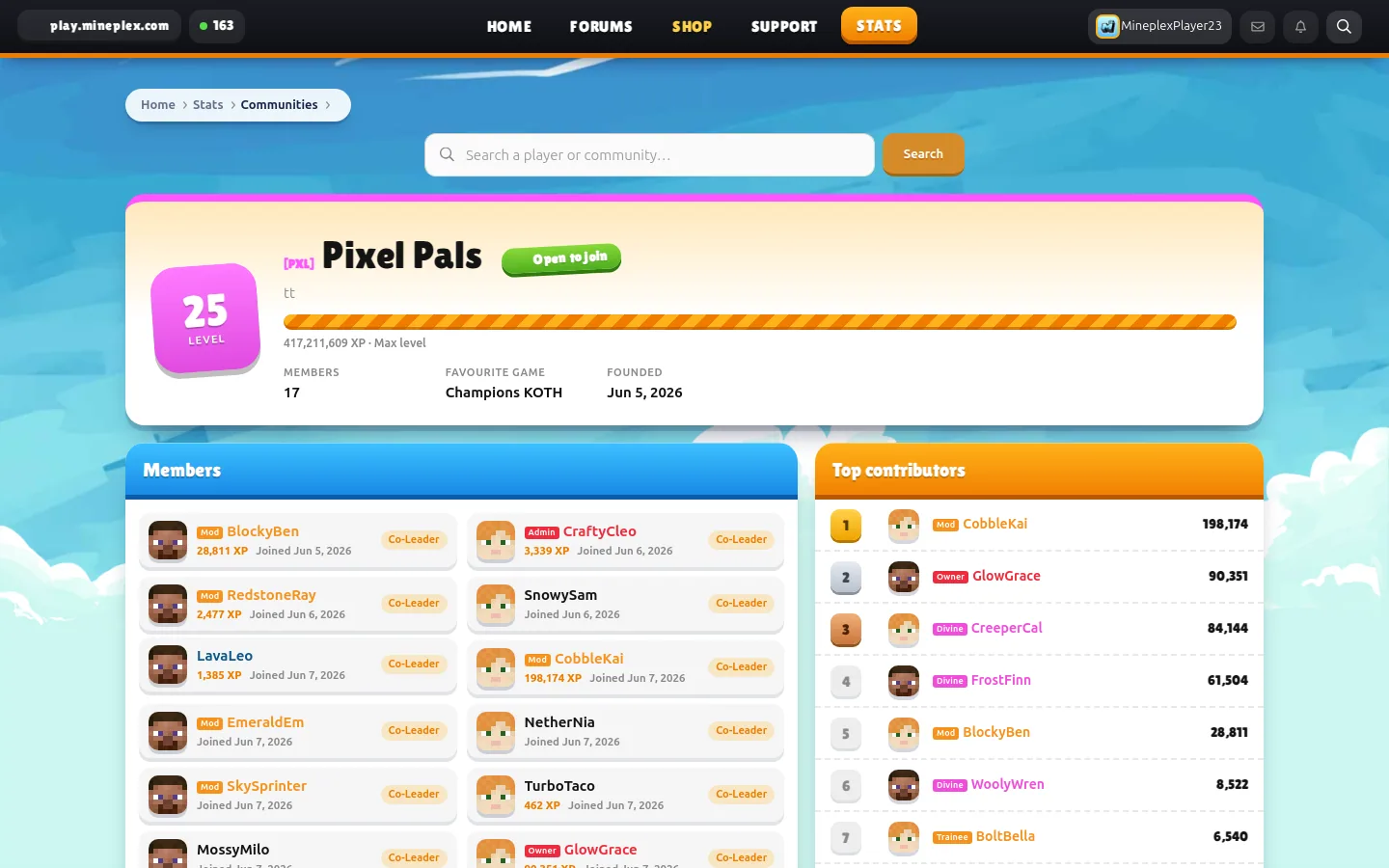
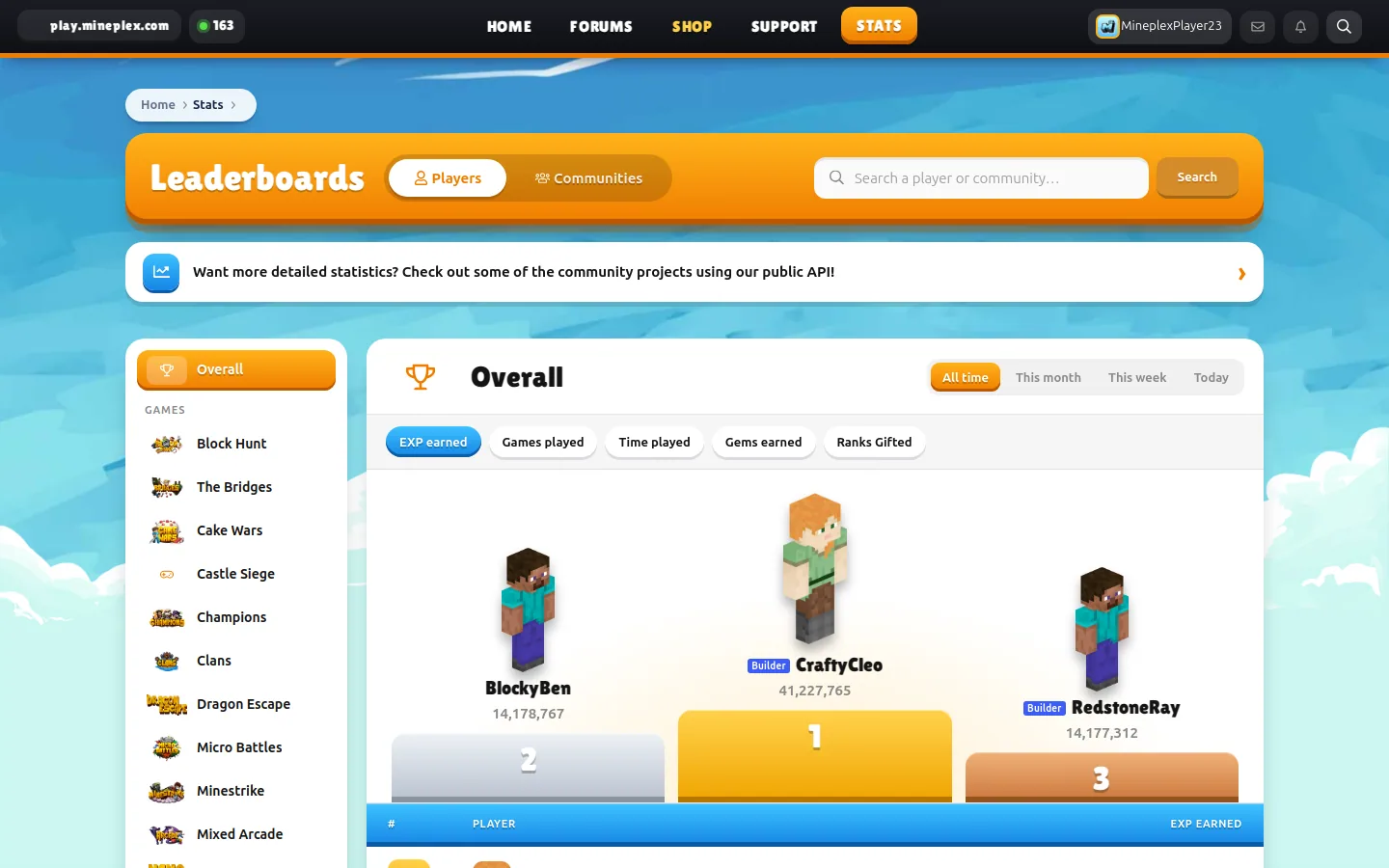
Mineplex has launched a major update to the official website, built around the company’s vibrant server style: painted sky, enlarged navigation elements, separate colors for forum categories and familiar design details, among them Carl’s character.
The top of the site has become more practical for those who want to get to the server quickly. The left side of the navigation bar now displays the Mineplex IP address and the current online one. Clicking on the address automatically copies it. There was also a new section Stats, which became the main addition to this update.
The updates also affected the forum. Authorized users will see the Welcome Back banner with a link to posts that appeared after their last visit. The upcoming Mineplex events were moved to the sidebar and added countdown to them. Differently decorated players and ranks: under the avatar in the messages show tapes of ranks, and next to the names on the site – compact labels. The names of the ranks again received the effect of flickering.
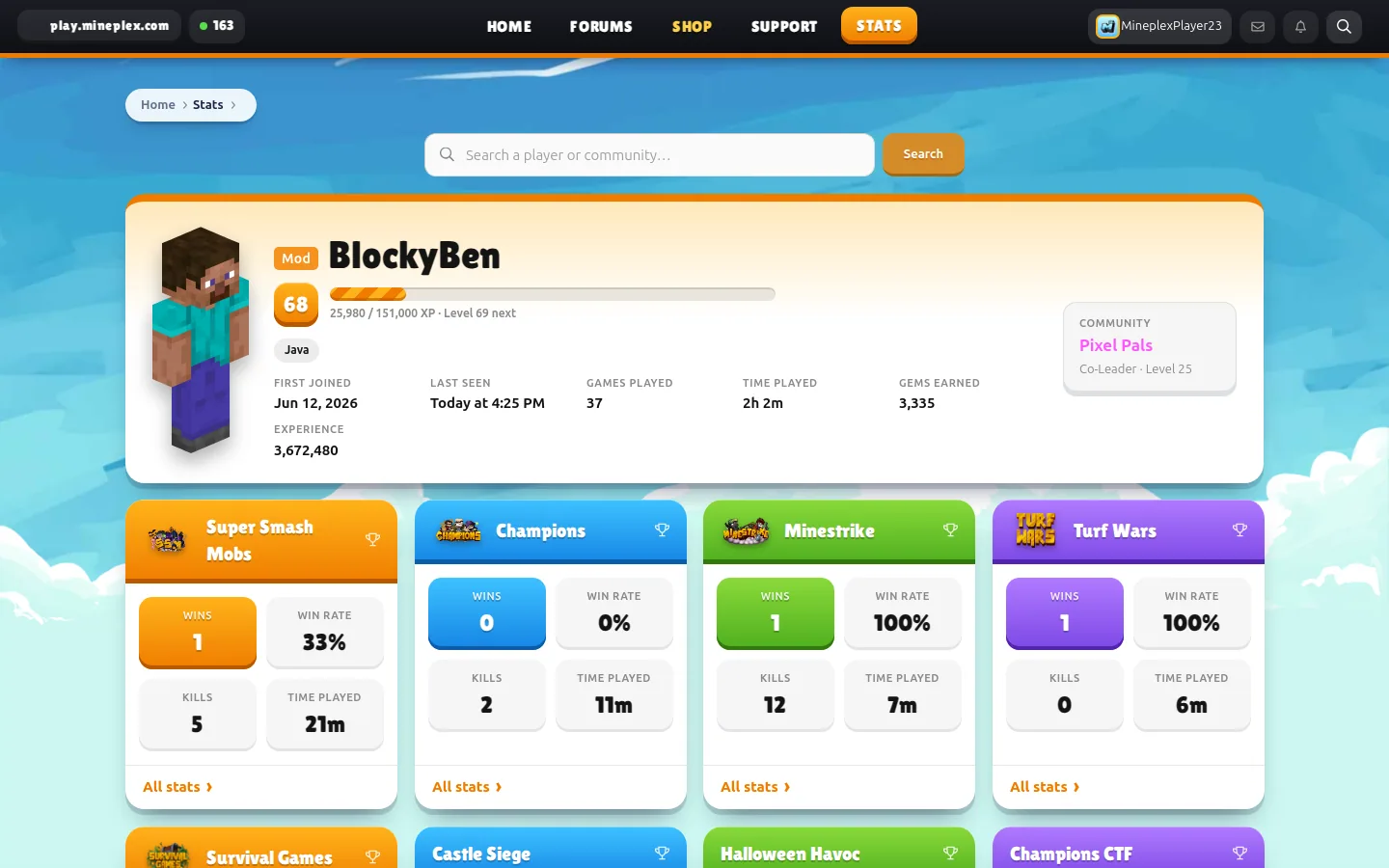
In the Stats section, each Mineplex game has its own leaderboards, as well as general rankings. The results can be viewed over the entire time, month, week or day. A composite table is available for Mixed Arcade, and a separate table is available for each arcade game. Users can also find a Java or Bedrock player and open their Mineplex profile.
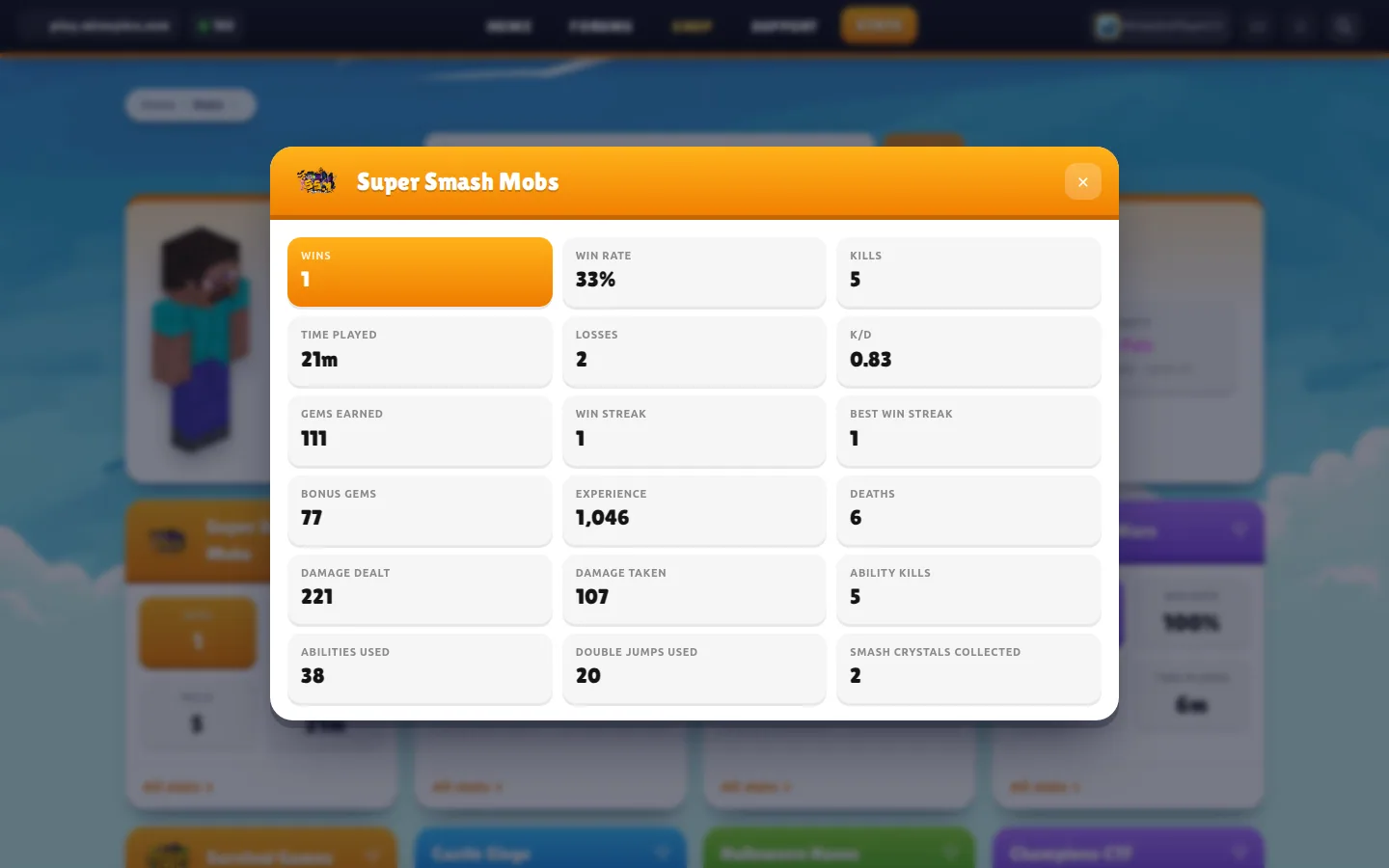
The player's page displays the level, community and cards of all the games he has played. By clicking on the card, the available statistics of a particular game opens. Individual pages of statistics also appeared for communities: they indicate participants, the amount of EXP contributed by each of them, and the most active members of the Community.
The developers have added privacy settings for those who do not want to make all statistics public. In the account menu, on the Minecraft Stats page, you can determine what information is allowed to be displayed through the public API, and also enable or disable game history. The updated site is adapted for mobile devices, and the switch at the bottom of any page allows you to choose a dark theme. Mineplex warns that after such a major recycling, individual items may still need to be refined, and suggests reporting problems through a bug report form or sharing ideas in the Website Ideas section.
Open the Mineplex card on BlockRadar to copy the server IP address and check the data before logging in. The page dynamically displays BR-rating, current status, online and ping - after checking you can immediately connect to the game.