Jade is a mod for Minecraft
Shows details about blocks and entities when you look at them.
Statistics and updates
Download Jade
The files are hosted by the developer. Choose the game version, downloader and the necessary dependencies on the official page of the project. BlockRadar does not store or repackage these files.
What Jade does.
Jade displays contextual information about the block or creature the player is looking at: name, fashion affiliation, and available features.
What is in front of the player
Jade shows the name of the block or creature under sight and, if supported, information about the state of the object. In conventional Minecraft, similar-looking blocks are sometimes easy to distinguish, but in modpacks, dozens of mechanisms and materials require additional clues. Jade removes the need to open menus or search for a name in a separate directory.
Information on mechanisms
A complex device may display its mod, contents, or other parameters if the author of the device has provided for integration. The format and amount of information depend on the connected extensions and server settings. Jade does not replace training manuals: it reports on the current facility, but does not explain all production chains. It is especially convenient to keep the tips turned on while mastering a new modpac.
Why do you need a clue?
In the machine room of a technical modpac, the two blocks may have similar textures, but completely different functions. Jade shows which object the camera is aimed at, and helps not to confuse the mechanisms during repairs. If the desired parameters are not, this is not necessarily a mistake: the author of the corresponding mod could not provide them for prompting.
Primary source: developer-page.
Screenshots by Jade

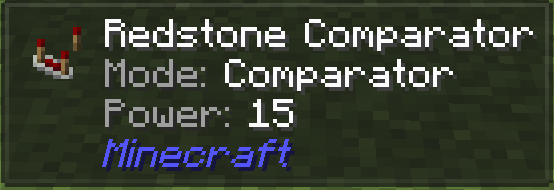

Illustrations: project page.
Versions and updates
According to the official source * . To install, choose a release that is compatible with your version of Minecraft.
Latest updates (3)
- 26.1.12+neoforge ↗Stable.
26.1.12 fix: exclude rrv stubs (close #822) fix: check block entity type in vanilla providers (close #765) 26.1.11 fix: shears harvest info is not working (close #810) feat: add recipe lookup keybind tooltips compat: add support for RRV (#786) feat: drag to scroll list refactor: abstract SmoothScrollableList fix: license path feat:tool tier removal api improve: vanilla harvest addon chore: API javadocs Add harvest tool…
- 26.3.5+neoforge ↗Stable.
26.3.5 fix: publish config value before onUpdate to prevent re-entrant StackOverflowError (#821) 26.3.4 port: route DataComponentMap.Builder#has through CommonProxy improve: ConfigIcon.Item now holds ItemStackTemplate chore: fix typo and bump mixin compatibility level to Java 25 fix: validate entity targets on the server fix: only request server data providers acknowledged by the server fix: write config files atomically and…
- 26.3.5+fabric ↗Stable.
26.3.5 Merge branch '26.3-fabric' of into 26.3-fabric fix: publish config value before onUpdate to prevent re-entrant StackOverflowError (#821) refactor: route DataComponentMap.Builder component check through CommonProxy 26.3.4 improve: ConfigIcon.Item now holds ItemStackTemplate chore: fix typo and bump mixin compatibility level to Java 25 fix: validate entity targets on the server fix: only request server data providers…
The latest release on the developer's website ↗ • The full story is with the author of the project.
How to install
- Check out your Minecraft version and mod downloader.
- On the official page, open Versions and select a compatible release.
- Check the author's instructions and dependencies.
- Install the file in the manner specified by the developer and restart the game.
Compatibility varies between releases. Do not use files from unverified mirrors.