Sophisticated Backpacks is a storage mod for Minecraft: Java Edition. Instead of simply adding a few inventory slots, it lets you carry a configurable backpack, place it in the world, recolor it and install functional upgrades. This guide covers the backpack tiers, practical upgrades, installation with Sophisticated Core, and common dependency problems.
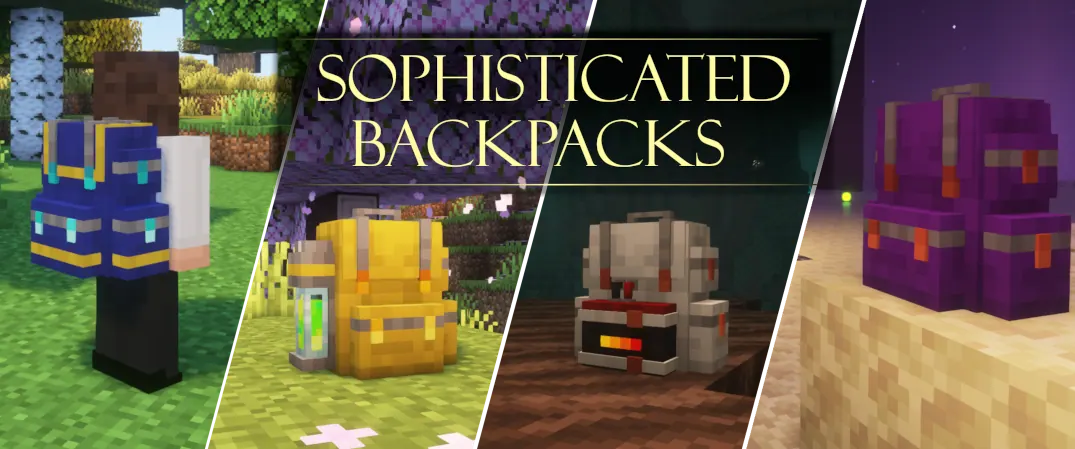
What does Sophisticated Backpacks add?
When mining, exploring or building, your inventory quickly fills with blocks and resources. A backpack acts as a portable storage container: you can take it on an expedition, bring it home and place it alongside other storage. Backpacks support configurable organization and functional upgrades rather than only extra slots.
The official mod is distributed for Minecraft Java with Forge and NeoForge builds. Do not assume a Forge file works in NeoForge or that a Fabric installation supports this mod. Always match the specific mod release to your Minecraft version and loader.
The six backpack tiers
The developer documents the Leather, Copper, Iron, Gold, Diamond and Netherite tiers. Higher tiers provide different storage and upgrade capacities. Upgrade paths and recipes depend on the version and modpack configuration, so verify the details in your actual build instead of relying on an old slot-capacity table.
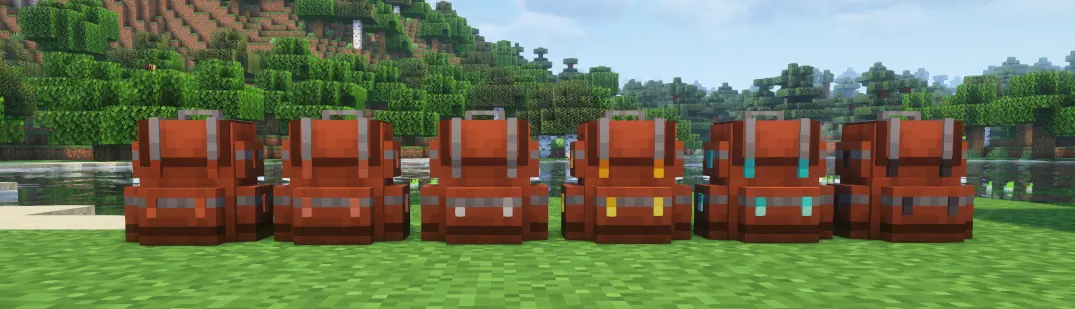
For an early-game mining trip, a basic backpack may be enough. Players carrying tools, materials and multiple filtered containers may benefit from a higher tier. The best choice depends on your resources, the upgrades you use and the rules of your modpack.
How to open and place a backpack
The standard backpack keybind is B in many supported configurations. Check Options → Controls if another mod uses that key or the binding has been changed. Depending on your setup, backpacks can also appear on your character.
The author documents Shift + right-click on a block to place a backpack in the world. Once placed, it behaves as a storage container that can interact with compatible inventory systems such as hoppers or pipes. Check the controls and the developer's documentation for picking a placed backpack back up, since behaviour may differ across releases.
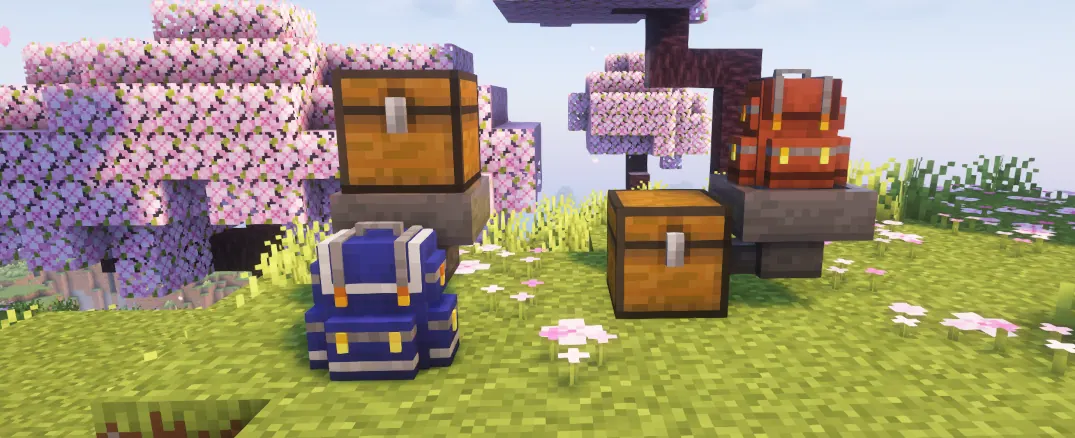
Useful upgrades: pickup, magnet and organization
A Pickup Upgrade can route collected items into a backpack using its configured filters. A Magnet Upgrade helps gather nearby dropped items. Other upgrades provide storage automation, organization and specialised behaviour, depending on the installed version.
A practical setup is to keep a mining backpack for ores and blocks, another for building materials and a separate container for valuable items. Configure pickup filters deliberately. Automatically collecting every item can fill storage with unwanted drops and leave little room for the resources you actually need.
Before combining upgrades, check the number of upgrade slots and the compatibility of each module. Not every tier or mod version supports the same set of features.
Backpack dyes and appearance
Backpacks have a main color and an accent color, making it possible to distinguish them visually. The developer describes dyeing backpacks with crafting-grid dyes and removing colors using a water-filled cauldron. Recipes or item interactions can vary by release.
Color-coding is useful in practice: for example, blue for mining, green for food and brown for construction materials. It makes the right backpack easier to find without opening every container.
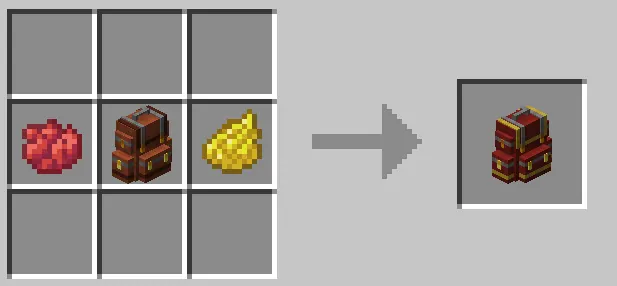
What is Sophisticated Core, and why is it required?
Sophisticated Core is the shared library used by Sophisticated Backpacks and Sophisticated Storage. It supplies common inventory handling, upgrade logic, configuration screens and related features. Core is a dependency, not a replacement for the backpack mod. Installing Core by itself does not give you all of the backpack items and upgrades.
A common launch failure is installing Backpacks without a matching Core release. The latest Core download is not automatically compatible with every older backpack build. Check both Minecraft version and loader, then follow the dependency information attached to the exact Backpacks file you choose.
You can open the Sophisticated Core listing on BlockRadar to learn about the library, but confirm the current dependency requirement on the author's distribution page.
Install Sophisticated Backpacks on Minecraft Java
- Check your Minecraft version and loader. Select a Forge or NeoForge profile supported by the Backpacks release you plan to install. Bedrock and Paper plugins use different systems.
- Choose the correct Backpacks file. Open the official Sophisticated Backpacks page and inspect the versions and supported loader for the specific download.
- Install Sophisticated Core. Use the matching Sophisticated Core release. Read the Backpacks release dependencies rather than guessing which Core version to use.
- Place the files in the correct profile. Put both compatible JAR files in that profile's mods directory. Do not copy them to a Minecraft server's plugins directory.
- Restart and verify. Launch the game, check that the backpacks appear and review Controls for the backpack keybind. If the game stops during loading, read the relevant error in the latest log.
For a multiplayer server that requires a specific modpack, use the versions chosen by the server operator. Depending on the mod and loader, appropriate dependencies may be required on both client and server.
Five checks when the mod will not start
- Sophisticated Core is missing. Install the dependency required by the selected Backpacks release.
- Core and Backpacks versions do not match. Compare the release dependency information, not only the Minecraft number in the filename.
- Forge and NeoForge are mixed. Download files built for your exact loader and game version.
- The JAR is in the wrong profile. Many launchers maintain separate mods directories for different Minecraft instances.
- Another mod or configuration conflicts. Review the latest log and try a fresh profile containing only Backpacks, Core and the required loader.
If the two-mod test works in a clean profile, reintroduce other mods in small groups to find the conflict. Keep a backup of your saves and modpack configuration before changing a long-running world.
Sophisticated Backpacks vs Sophisticated Storage
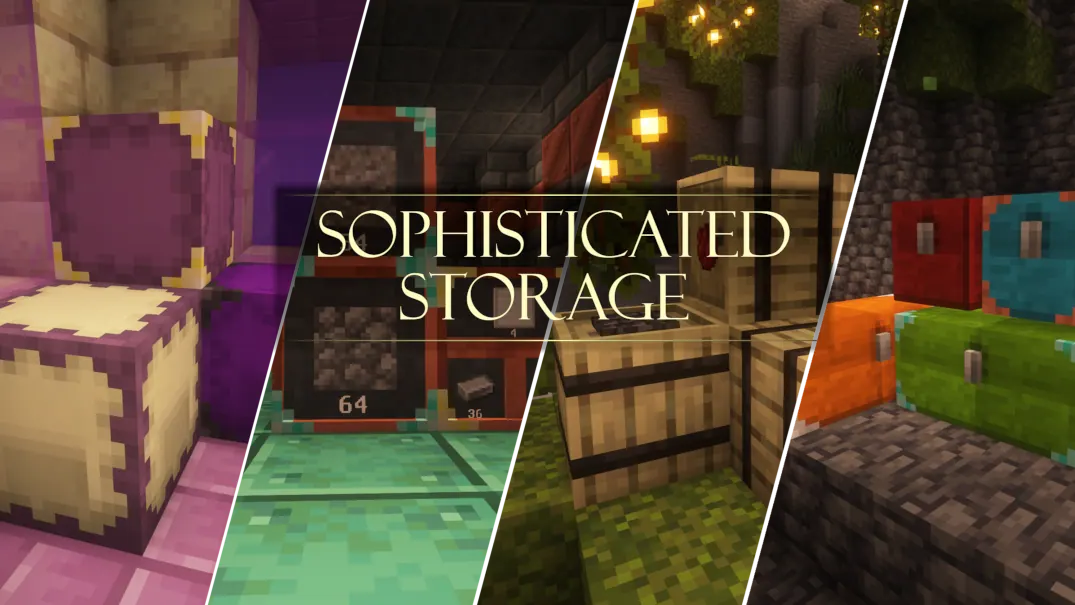
Backpacks focus on portable storage and inventory management. Sophisticated Storage focuses on expandable stationary containers such as chests and barrels. Both projects use Sophisticated Core, but they solve different problems.
Use backpacks when exploring and hauling loot; consider Storage when organizing a permanent base. In a compatible modpack they can complement one another.
Frequently asked questions
Can I install it on Fabric or Bedrock?
The official Sophisticated Backpacks project targets Minecraft Java using Forge or NeoForge releases. It is not a Bedrock add-on and it is not a Paper or Spigot plugin.
Can I dye a backpack?
Yes. Supported versions allow a main color and an accent color. Check the current crafting and dye interactions in your build.
Can I own more than one backpack?
You can have multiple backpack containers. How they are worn or equipped can vary with the mod version and any additional equipment mods.
Where should I download it?
Use the developer's Sophisticated Backpacks page or the official CurseForge listing. BlockRadar provides information and links; it does not repackage the JAR files.
Summary and official sources
Successful installation depends on four matching pieces: Minecraft version, Forge/NeoForge, Sophisticated Backpacks and Sophisticated Core. Start with a basic backpack, test that it opens, and add upgrades only after confirming that the core functionality works.
Official projects: Sophisticated Backpacks, Sophisticated Core, and Sophisticated Storage. Screenshots shown here come from the developer's published materials and retain attribution to P3pp3rF1y.